
How Notifications Works

Discover step by step how the journey from notification to conversion works.

Bildirt in 2 Minutes

Quickly see how Bildirt’s push notification infrastructure works.

Step 1 — Create Your Application

Define your website in the Bildirt dashboard and start the setup process. After entering your site URL and basic details, the system prepares a setup flow tailored to your site.
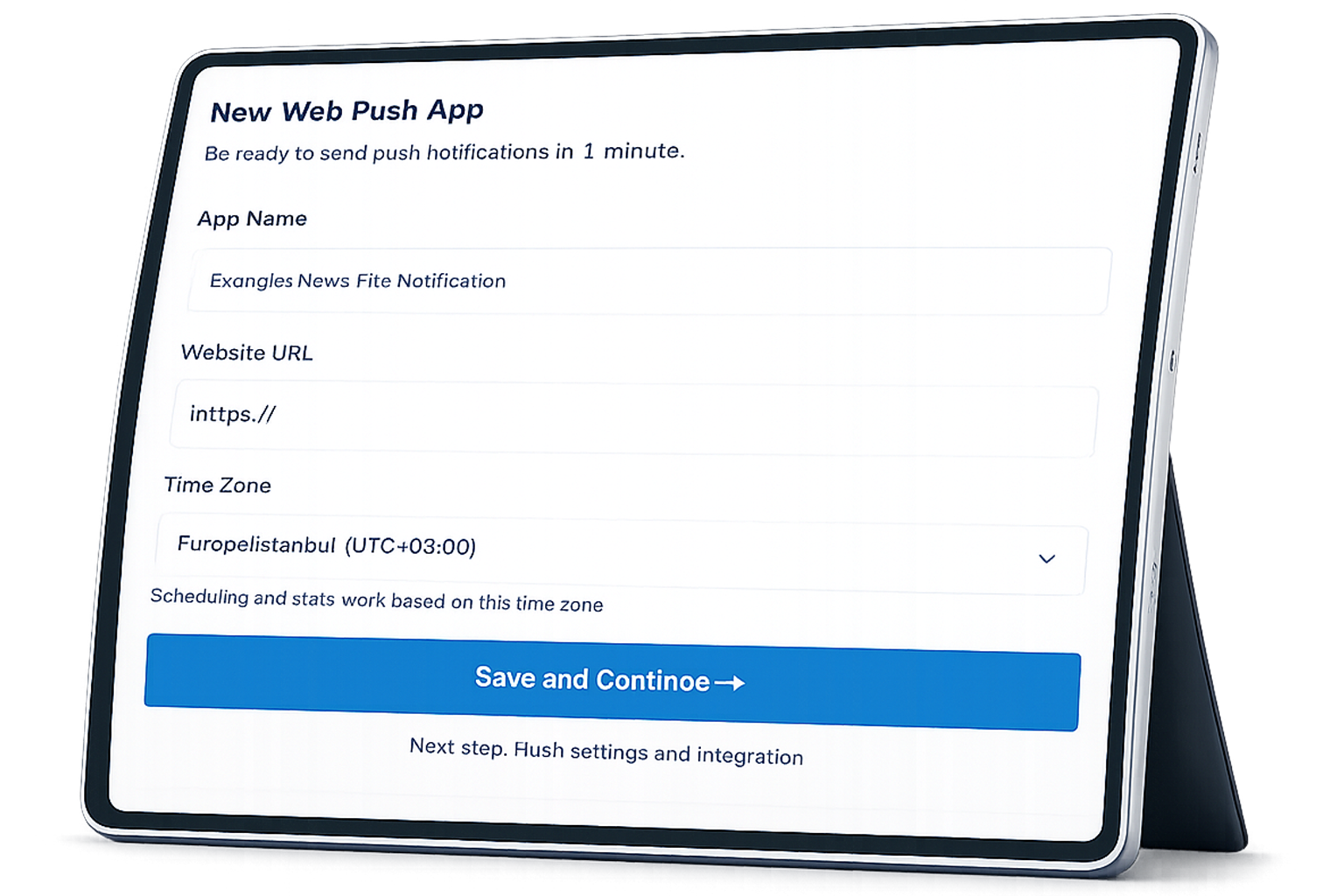
  • A site-specific installation flow is automatically created
  • The most suitable configuration is selected for different website types
  • Required information is clarified before installation

Step 2 — Add the Code and Required Files

In the final step of the setup, the code and required files you need to add to your website are presented in a single screen within the dashboard. Once added, the system automatically checks the connection.
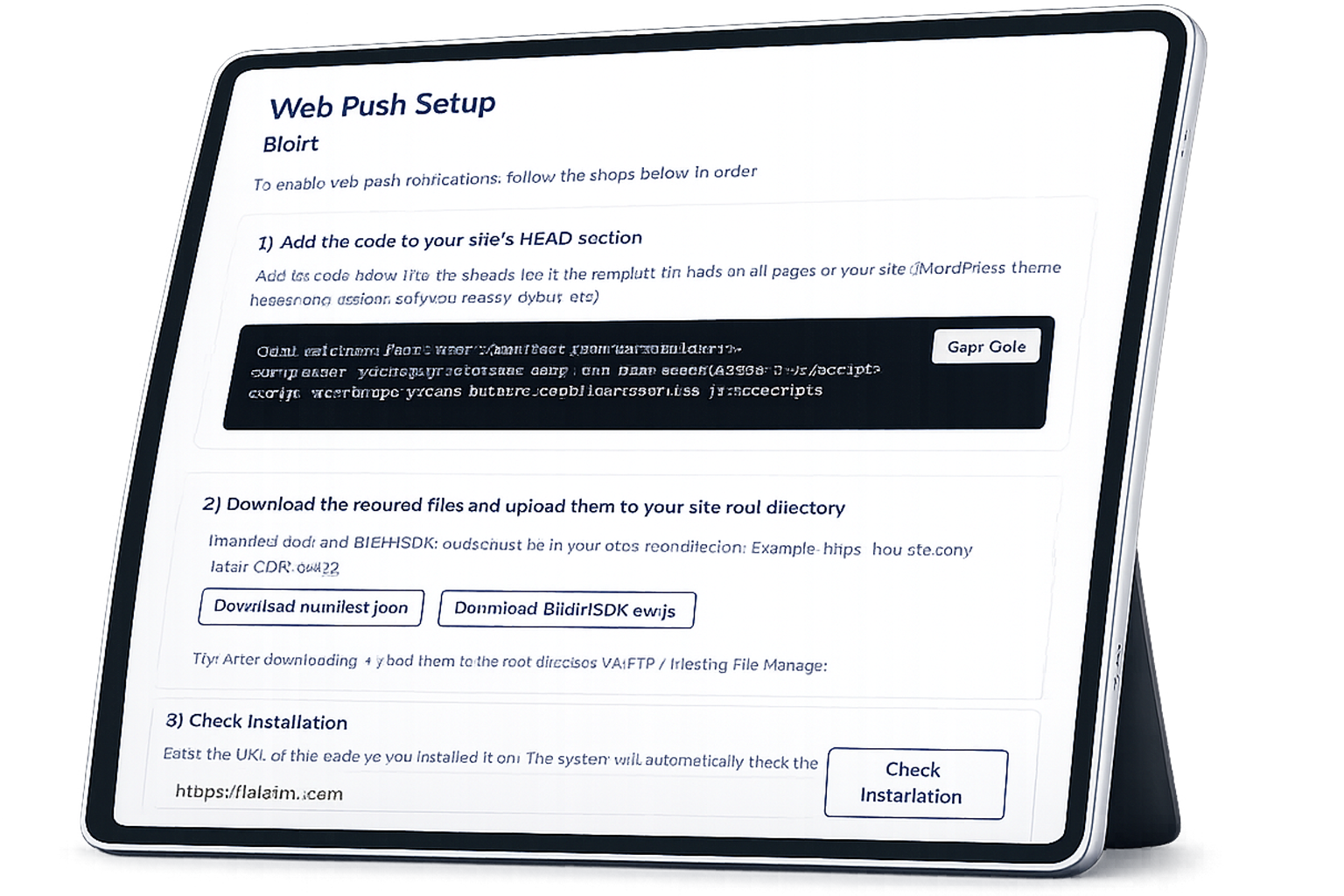
  • Code and files are ready and customized for your site
  • Separate instructions are available for WordPress and custom-built websites
  • Installation status is verified by the system

Step 3 — Start Sending Notifications

Once the installation is complete, you can start sending notifications immediately. Notifications can be created manually or automated with AI Autopilot.
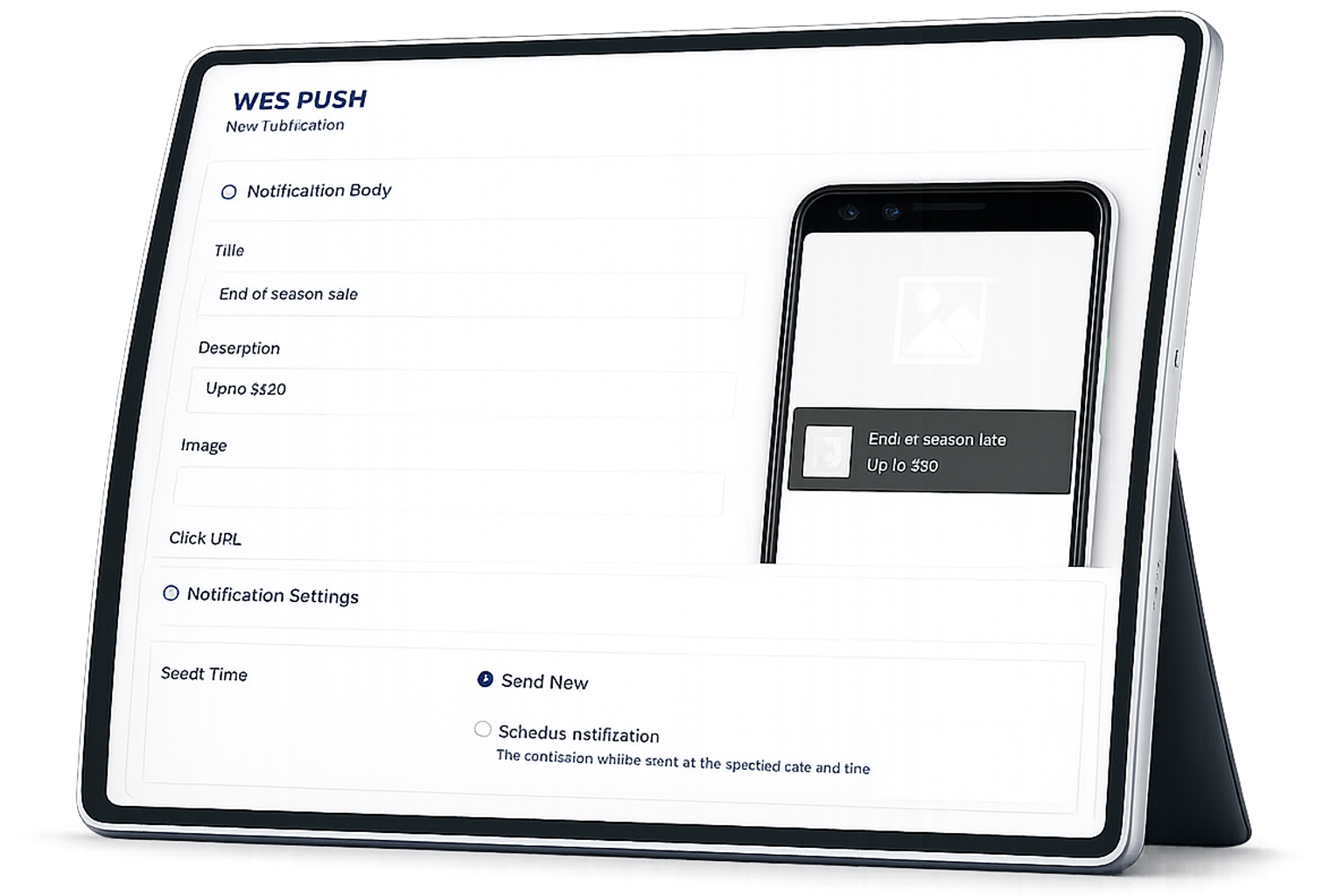

  • Manual or AI-powered notification sending
  • Full control over content and timing
  • Track engagement and performance after sending notifications
Team Meeting Illustration

Frequently Asked Questions

The most common questions about setup, usage, and AI Autopilot.

Bildirt provides push notification infrastructure for websites. By obtaining permission from your visitors, it allows you to deliver your content and announcements directly to users through their browsers. AI Autopilot helps optimize the sending time and message content.
No. The installation steps are guided through the dashboard and users without technical knowledge can complete the setup. However, for custom infrastructures, brief support from a developer may speed up the process.
During installation, a code snippet is added to your website and the necessary files required for push notifications are uploaded. All of this information is clearly provided in the final step of the setup.
During installation, the code and required files created specifically for your website are presented on a single screen in the final step of the Bildirt dashboard. Instructions also explain step by step where each file should be added.
Once the code and files are added, the Bildirt system automatically checks the connection. When the installation is successfully completed, you will receive confirmation in the dashboard.
AI Autopilot is an AI-powered feature that helps optimize notification titles, content, and delivery times. Its goal is to help you achieve higher engagement.
Yes. AI Autopilot is optional. You can also create and send your notifications completely manually.
No. The Bildirt infrastructure is lightweight and works asynchronously. It does not negatively affect page load speed or user experience.
Yes. Bildirt does not send notifications without user permission and operates in compliance with data protection regulations such as GDPR and KVKK. When used together with the Cookie Management module, compliance becomes even stronger.
Move to AI-Powered Push Notifications

More subscribers, more engagement.

Move to AI-Powered Push Notifications

More subscribers, more engagement.