
This page explains the core concepts and system flow you will encounter while using the Bildirt dashboard in a simple and clear way. The Push Notification and Cookie & Consent (CMP) modules operate within the same panel but function independently.
Account
When you sign up for Bildirt, you create an account. Your account allows you to manage your applications, billing/subscription details, and team members from a single place.
Note: All modules operate under the same account.
Application
An application represents the website (domain) you add to the system. You can create a separate application for each domain.
Within an application, you will find:
- Push Notification settings
- Cookie & Consent (CMP) settings
- Banner design
- Subscriber statistics
- Consent records
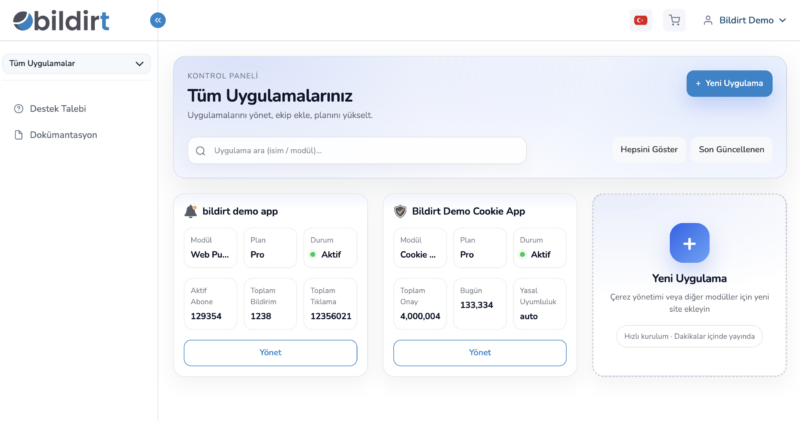
Modules (Push & CMP)
Bildirt provides two separate modules within a single dashboard:
Push Notification Module
Allows you to send instant browser-based notifications to your website visitors.
Cookie & Consent (CMP) Module
Enables you to collect user consent in compliance with regulations and control scripts based on user preferences.
Note: You can use both modules together within the same application.
Push Notification Concepts
Subscriber
A subscriber is a user who has granted permission to receive push notifications. Subscribers are browser and device-based and are anonymous (they do not contain directly identifiable personal data). Each application has its own subscriber pool.
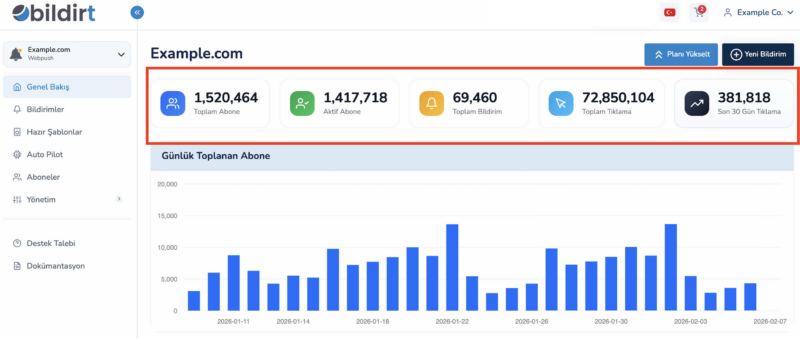
Notification
A notification is a message you send via the dashboard. A notification typically includes:
- Title
- Description
- Image (optional)
- Redirect URL
Notifications can be sent instantly or scheduled.
Scheduling
You can schedule notifications in the following ways:
- Send immediately
- Set date & time
- Create recurring campaigns
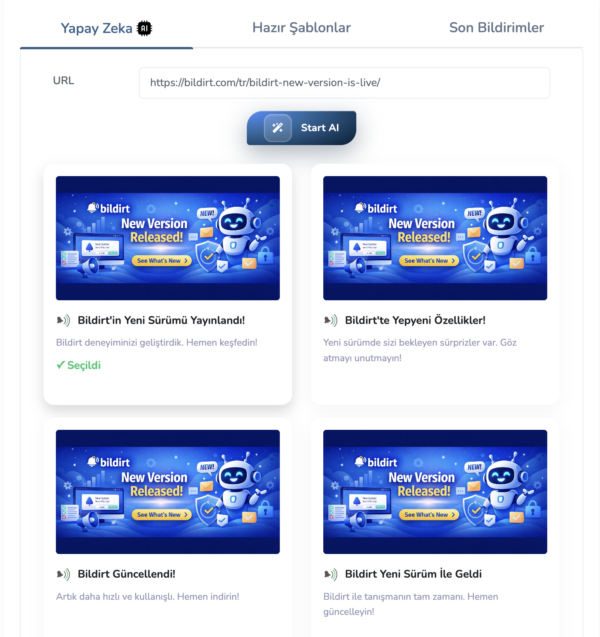
AI Recommendation Engine
Provides AI-powered suggestions for titles and content. While creating campaigns, it can generate alternative titles, different tone/length variations, and suggestions with higher click potential.
AI Autopilot
Automatically generates and sends notifications based on predefined rules. For example, it can create notifications without manual action when new content is published, a product comes back in stock, or a campaign starts.
Cookie & Consent (CMP) Concepts
Banner
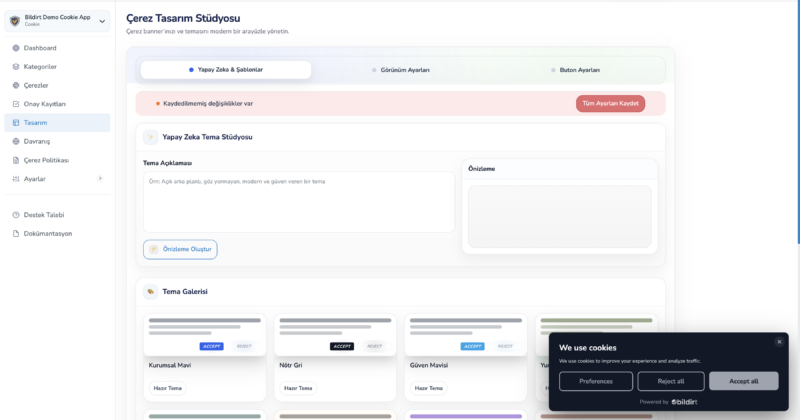
The banner is the interface shown to visitors to collect consent. It can be designed in different formats such as bottom bar, popup, full-screen, or minimal mode. Colors, button structure, and text can be customized.
Consent (Status)
Consent refers to the user’s permission preference. Example category structure:
- Necessary
- Analytics
- Marketing
- Functional
Scripts are executed or blocked based on the user’s preferences.
Script Control
Bildirt CMP:
- Initializes consent state as “denied” by default
- Updates consent state based on user interaction
- Sends Google Consent Mode V2 signals
- Executes scripts conditionally
This ensures that analytics and advertising services operate based on user consent.
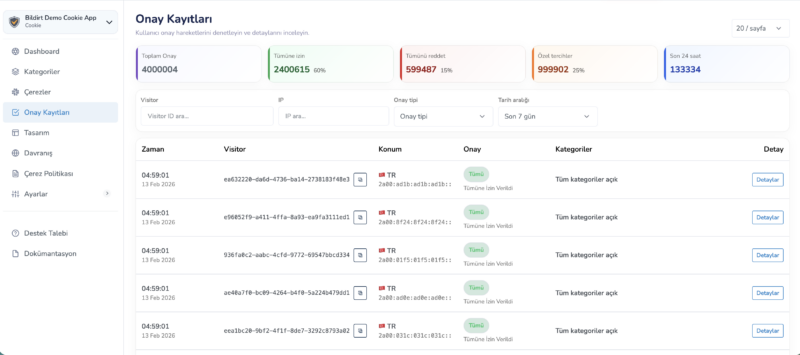
Consent Records (Proof Log)
User preferences are recorded. Records typically include:
- Timestamp
- Region information
- Consent categories
- Banner / policy version
Team and Roles
You can add team members to your account. Each role has different access permissions.
Example role types:
- Admin
- Editor
- Viewer
Quota and Usage
Each module has different usage metrics, and your plan determines these limits.
For Push
- Number of subscribers
- Sending limit
For CMP
- Pageviews
- Number of domains
Next Step
You now have a clear understanding of the core concepts. To continue, you can proceed to the following pages:
- How Push Notifications Work
- How Cookie & Consent Works
- Google Consent Mode V2
- Pricing