
What is Cookie Scanner?
Bildirt Cookie Scanner is an analysis system that automatically detects cookies running on your website and categorizes them. It eliminates the need for manual listing and makes your data processing activities visible.
After the scan, the system analyzes detected cookies, identifies their types, and suggests appropriate consent categories.
How to Start a Scan?
- Go to the relevant application from the dashboard.
- Navigate to the Cookie Scanner section.
- Click the Start Scan button.
The system analyzes your website and detects active cookies.
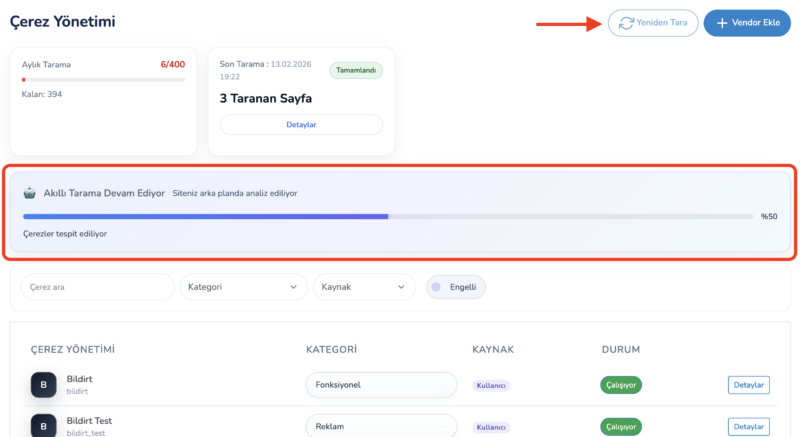
Scanning Process
The scanner analyzes your website like a visitor and collects the following information:
- Cookie name
- Source domain
- Storage duration
- Purpose of creation
- Related service provider
Based on this data, the system provides categorization suggestions.
Automatic Categorization
After the scan is completed, the system analyzes cookies and assigns them to appropriate categories as suggestions.
- Necessary
- Analytics
- Marketing
- Preferences
Users can manually adjust these suggestions.
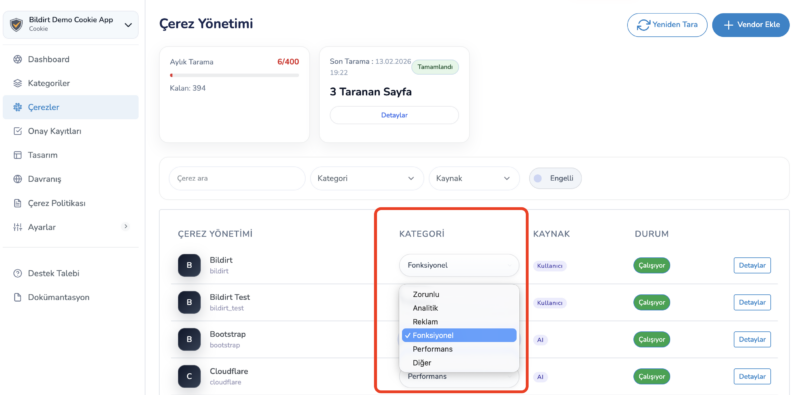
Updating Cookies
When new services are added to your website, it is recommended to run a scan again.
- New cookies are automatically detected
- The existing list is updated
- Version changes are recorded
Why Should You Scan Regularly?
- New scripts may introduce new cookies
- Advertising and analytics services may change over time
- Regulations require transparency
Regular scanning ensures your cookie policy stays up to date.